

Security Camera Warranty Comparison: Find Your Best Fit
By Aoife O'Connell • 14th Dec
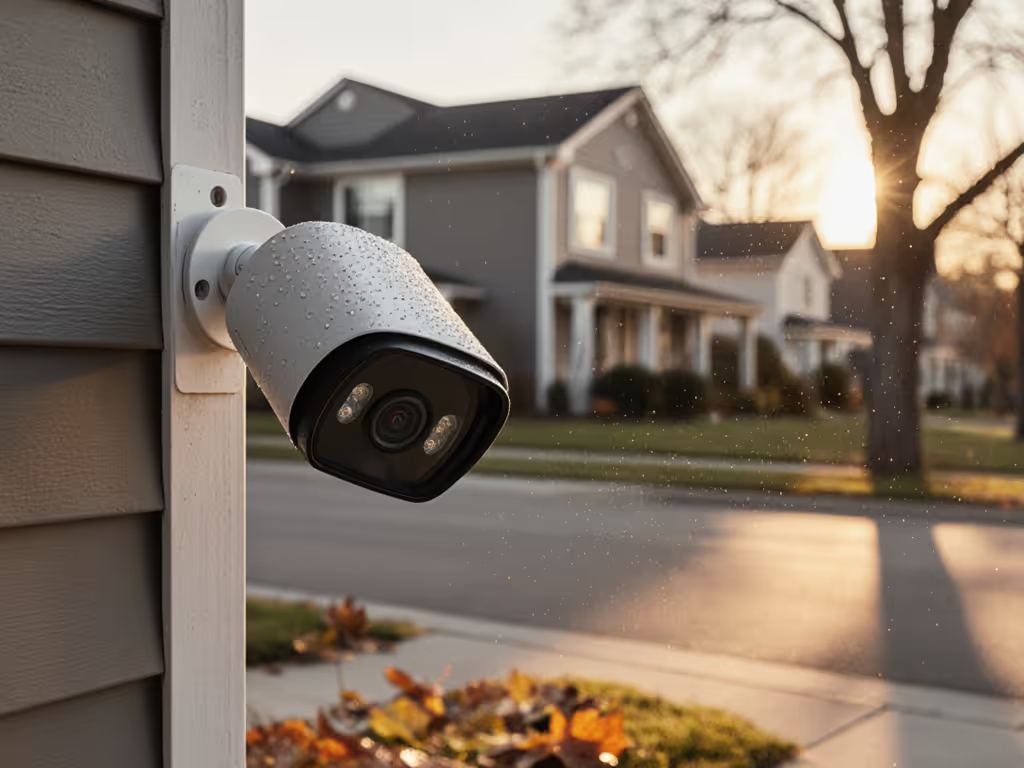
You've invested in security cameras to protect what matters most, and that investment deserves protection too. Yet a security camera warranty comparison often gets overlooked until your driveway cam misses a porch pirate because its Wi-Fi crapped out. Don't wait for failure to understand your safety net. As a technician who's rewired wobbling mounts and tuned out false alerts from dancing tree shadows, I've seen how a smart service plan evaluation separates reliable systems from expensive paperweights. Let's fix the basics first.
Solid mounts and clean power beat fancy features. If you're weighing reliability, start with our wired vs wireless reality check. And when those basics fail? Your warranty is your lifeline. I'll cut through the legalese so you can choose coverage that actually matches your real-world needs, not just the fine print promises. No fear tactics, just actionable clarity for homeowners who want systems that work when it counts.
Why Warranty Length Isn't the Only Thing That Matters
Most shoppers fixate on "2-year vs. 1-year warranty," but coverage depth matters more. A 5-year warranty means nothing if it voids because you painted the housing (a common HOA request!) or upgraded firmware yourself. Here's what actually impacts reliability:
-
PoE vs. Battery: PoE cameras (like Reolink's Pro series) often get 3-year warranties because clean power reduces stress. Battery cams? Typically 1 year. Why? Temperature swings and power surges kill batteries faster, which manufacturers count as "user error."
-
Environmental Gaps: Many warranties exclude "consequential damage" from weather events. If lightning fries your Arlo cam (yes, it happens), check if surge protection was required in installation docs. Skip it, and you're voiding coverage.
-
Software Traps: Upgrading firmware without authorized support? Instant void. SCW's policy explicitly states this. But brands like Amcrest offer guided updates within their apps to keep you covered.
Key Insight: A 2-year warranty on PoE hardware + clean power beats 3 years on flimsy wireless kits. Reliability is built, not gifted.
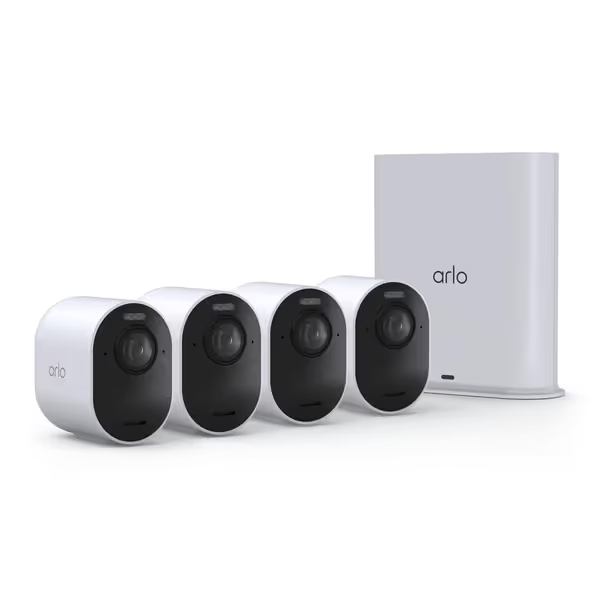
Arlo Ultra 4K HDR Security Camera (2025) with SmartHub
4K HDR clarity, wide view, and reliable AI for ultimate home security.
$499.99
Resolution & FOV4K HDR, 180° Field of View
Resolution & FOV4K HDR, 180° Field of View
Pros
Crystal clear 4K HDR and 180° view capture critical details.
Smart Detection AI significantly reduces false alerts.
Emergency response, dual-band Wi-Fi, and long battery life.
Cons
Advanced features require a monthly subscription after trial.
Customers praise the security camera's crystal clear 4K video quality, especially at night, and appreciate its wide 180° field of view that allows them to see the whole area. The camera is easy to set up and offers reliable performance, with one customer noting it works perfectly without false alerts. Customers find the battery life impressive, keeping a charge much longer, and one mentions the quick connection through the SmartHub. They consider it worth the investment.
Customers praise the security camera's crystal clear 4K video quality, especially at night, and appreciate its wide 180° field of view that allows them to see the whole area. The camera is easy to set up and offers reliable performance, with one customer noting it works perfectly without false alerts. Customers find the battery life impressive, keeping a charge much longer, and one mentions the quick connection through the SmartHub. They consider it worth the investment.
7 Ways You Accidentally Void Your Warranty (Without Knowing)
I fixed a family's driveway camera that missed every nighttime alert. Turns out, the IR glare bounced off their white garage wall, and they'd added a DIY weather shield. To diagnose glare and low-light issues, see our IR vs color night vision test. Two void triggers in one install! Avoid these silent killers:
-
DIY Repairs (Even "Tiny" Ones): Opening the housing on fixed-lens cameras (per SCW's policy) voids coverage. Don't touch that screw!
-
Mounting Mishaps: Vibration from loose mounts (e.g., aluminum siding) causes internal damage. Warranty won't cover "improper installation," even if you used the included hardware.
-
Firmware DIY: Self-upgrading to test beta features? Most brands (like Arlo) void coverage instantly. Check if your app locks updates behind support approval.
-
Power Power Plays: Using non-OEM adapters or daisy-chaining PoE injectors? Voids "clean power" requirements. Pro tip: Label your injector with "OEM ONLY."
-
Environmental Ignorance: Mounting indoor cams outdoors ("It's IP65!") voids coverage if moisture damage occurs. Check temp ranges, not just IP ratings.
-
Tampering Triggers: Adding third-party storage (like non-branded microSD cards) voids many warranties. Lorex's policy explicitly bans this. If you're deciding where footage should live, compare cloud vs local storage to avoid warranty-voiding accessories.
-
Registration Deadlines: Reolink requires registration within 30 days. Miss it? You lose coverage. Set a calendar alert the day you install.
Extended Protection Plans: Worth the Upsell?
That "$20/year extended warranty" offer at checkout sparks mixed feelings. Here's my warranty coverage analysis framework:
| Plan Type | Best For | Red Flags | Verdict |
|---|---|---|---|
| Brand Extended Warranty (e.g., Reolink +1 year) | PoE/NVR systems | "Only covers hardware defects" - excludes firmware issues | 👍 Worth it if you have complex installs |
| Retailer Coverage (Best Buy) | Budget battery cams | Excludes "wear parts" like batteries | 👎 Avoid - useless for battery cams |
| Third-Party (SquareTrade) | Low-cost cams | Requires video proof of sudden failure | ⚠️ Only if brand warranty is <1 year |
Critical truth: Extended plans never fix poor installation. That driveway cam wobble? No warranty covers physical damage from vibration. Placed it facing a reflective wall causing IR glare? "Improper usage" voids coverage. Reliability starts with placement, not paper promises. Use our camera placement guide to avoid the 'improper usage' mistakes that void coverage.
When Extended Plans Shine
-
Commercial Systems: SCW's 5-year extended warranty (on Admiral line) pays for itself when cameras run 24/7 in harsh conditions.
-
High-Value Components: For $500+ NVRs, a $50/year plan beats $300 replacement costs. But only if firmware support is included.
-
Rental Properties: If tenants move cams frequently, extended coverage absorbs "accidental damage" claims. Confirm plan terms, many exclude tenant damage!
The Warranty Claim Process: What Brands Won't Advertise
That "24/7 support" claim? Often just a chatbot loop. A smooth warranty claim process requires three things you control:
-
Proof of Purchase: Keep receipts digitally. Amazon order history disappears if you delete accounts.
-
Serial Number Access: Tape it inside your NVR box. Cameras get swapped during repairs, losing the SN kills your claim.
-
Failure Documentation: Video the malfunction. If your cam glitches at night, record it with another device. "It stopped working" isn't enough.
Real-world example: ACTi requires RMA forms before shipping failed units. Send it unauthorized? They refuse the box. Always get the RMA first.

Your Warranty Checklist: Before You Buy
Skip the fine print dive. Ask these four questions to gauge manufacturer service reliability:
-
"If lightning strikes my PoE switch, does the warranty cover all connected cams?" (Hint: Most say no, demand surge protection specs.)
-
"What happens if a camera model is discontinued during the warranty period?" (SCW promises "similar or better" replacements; others offer store credit.)
-
"Does firmware update support last the full warranty term?" (Arlo's 1-year warranty matches update cycles, critical for security patches.) To harden your system against vulnerabilities, follow our protect cameras from hackers guide.
-
"Can I get replacement parts without shipping the whole unit?" (Hikvision offers lens-only swaps; saves weeks of downtime.)
Before/After Clarity: I once had a client stress about false alerts from bushes. We rewired to PoE, added a vibration-dampening mount, and rechecked warranty terms. No more voided claims. Just clear alerts when it mattered.
Final Thought: Warranties Are a Symptom, Not a Cure
A strong warranty signals manufacturer service reliability, but it's no substitute for smart installation. That family with the wobbling driveway camera? Their 2-year warranty was useless because the mount failed from their installer's error. We rewired to PoE, added a wedge mount, and aimed past the glare. Alerts dropped 90%. Plates popped at night. The house stopped buzzing for every breeze.
Your action step: Before comparing warranty lengths, audit your install right now:
- ✅ Is power clean? (PoE > batteries for longevity)
- ✅ Is mounting solid? (No vibration when you tap it)
- ✅ Is placement smart? (No IR bounce, glare, or blind spots)
Then check warranty terms. Because when reliability is built in, you'll rarely need to claim it.
Disclaimer: Always follow local electrical codes. Hire a licensed electrician for PoE runs involving main panels. Never compromise ladder safety, use spotter support for high mounts.
Related Articles
Storage, Subscriptions & Long-Term Costs
Privacy Security Cameras: Zero Subscriptions, Full Control
Focus on cost per verified incident - not sticker price - to avoid subscription traps, false alerts, and downtime. Get three subscription-free, local-storage setups with on-device AI and 3-year cost math to choose the right balance of reliability, privacy, and total ownership cost.
Storage, Subscriptions & Long-Term Costs
Wireless Outdoor Security Cameras No Subscription: True Value
Use a simple cost-per-verified-incident formula and three-year cost comparisons to choose outdoor cameras without subscription traps. Prioritize on-device AI and local storage to avoid hidden fees, reduce false alerts, and get better long-term protection.